This guide makes Roblox better for all types of players and creators. From starting out to getting advanced, it’s packed with advice. It helps with setting up, staying safe, leveling up skills, building cool stuff, and getting noticed. This advice is great for people in the United States and around the world.
We’ll talk about making your game run smoothly, keeping your account safe, understanding the basics, and competing at a higher level. You’ll learn how to make your controls work for you, create awesome things with Roblox Studio, make money the right way, grow your community, make your avatar cooler, and get your games seen by more people. It’s all about taking it step by step to become a Roblox master.
Anúncios
Here, you’ll find tips you can use right away: improving your setup, securing your account, getting better at moving and looking around in games, learning from the best players, making games in Roblox Studio, and sharing your games the right way. These tips are all about playing better, staying safe, improving your abilities, and getting your games out there.
Key Takeaways
- This gameplay guide gives a full roadmap for improving in roblox.
- Advice fits casual players, developers, competitors, parents, and educators.
- Follow steps from setup and security to advanced strategies and monetization.
- Actions include hardware tweaks, account safety, skill drills, and design tips.
- Implement these Roblox tips to boost performance, safety, and player reach.
Essential Roblox Setup for Smooth Gameplay
A smooth setup makes Roblox fun to play. You should look at hardware, network, and game settings. These tips help no matter what device you use.
Start by choosing the right hardware. Aim for a modern CPU like an Intel Core i3/i5 or an AMD Ryzen 3/5. You’ll need at least 8GB of RAM, but 16GB is better if you do a lot. For great graphics, get an NVIDIA GeForce GTX 1050 or similar, and an SSD for faster loading. Use a good gaming mouse, keyboard, or controller. Make sure mobiles and consoles are up to date too.
Network quality is key for fast gameplay. A wired connection is best, but if you’re on Wi‑Fi, use a 5 GHz network. Make sure your internet is fast and the ping is low. Use router settings to make games run smoother. Keep your router updated and restart it often.
Adjusting Roblox graphics can boost speed. Lower settings for higher FPS and better competition. Use smart settings for resolution and refresh rate. Close other apps to give Roblox more power. Check Roblox’s tools to watch your game’s speed and fix any issues. Small tweaks can make a big difference.
Creating a Safe and Account-Savvy Environment
Keeping play safe begins with good account habits. Use unique passwords and a reliable password manager to keep them. Make sure your email and phone are verified on Roblox. Always check your Account Info and which Devices are Authorized regularly. Never share your login info or recovery codes.
Account security best practices and two-step verification
Turn on two-step verification on Roblox using email, SMS, or an app for extra safety. Always use the official password reset on roblox.com if needed. Keep an eye on connected devices and log out from ones you don’t recognize.
Managing privacy settings and parental controls
Adjust settings to control who can message, join, or follow you based on your age. Younger players should turn off voice chat and limit messages in games. Use the restrictions Roblox has for those under 13 and consider setting a Family PIN.
Use Roblox’s parental controls together with your device settings on iOS or Android. Controls at the router level can restrict access at specific times. Keep track of purchases and set limits to avoid surprise charges.
Recognizing and avoiding scams and toxic behavior
Be alert for fake Robux sites, impersonation, phishing links, and off-platform trades. Only use Roblox’s official trading area and don’t download files claiming to give free items.
If harassed, mute, block, and report them in-game. Keep a record of mean messages and tell a trusted adult if needed. Encourage everyone to report sketchy behavior through Roblox’s system. It helps keep the community safe.
Core Gameplay Mechanics Every Player Should Master
Getting good at games means mastering the basics. Improving your movement and how you handle the camera can make a big difference. Practice in short bursts to get better and always know the game rules to prevent surprises.
Movement, camera control, and essential hotkeys
Start with learning WASD for moving around. Use the space bar to jump and the shift key or another key for running, if the game allows it. If you can crouch or lean, set those controls to feel comfortable for you. Handling the camera smoothly with your mouse is key for aiming and being aware of your surroundings. Adjust the mouse sensitivity to be low for aiming better and high for looking around quickly.
It’s also smart to know key Roblox shortcuts. Remember the basic ones: jumping (space), chatting (/), and opening developer console (F9). If you find certain controls clunky, go to Settings and change them. Making these controls a habit through daily practice will pay off.
Understanding game-specific mechanics and objectives
Before you dive into a game, read its tutorial and description. Games with competition often have special ways to win, like reaching a time in obby, making money in tycoon games, or progressing in simulators. Get to know how resources work, what cools down, and how interactions are ruled right away.
Keep an eye on things like health bars, stamina, scoreboards, and markers for objectives. These help you see what’s important during the game. They also tell you where to put your efforts to get better at Roblox.
Practicing consistency with muscle memory drills
Practicing little and often is better than long, rare sessions. Do drills like aiming, jumping on time, and switching tools quickly in places where you won’t be disturbed. Keep track of how you’re improving by noting down things like how fast you complete drills or how accurately you hit targets.
Don’t skip warm-up routines. Spend a few minutes on aim trainers or practicing in the game before playing seriously. This keeps your skills sharp and improves your performance on Roblox without making you tired.
Advanced Strategies for Competitive Roblox Games
To play better, it’s not just about quick moves. It’s about using your knowledge of the game, planning ahead, and working as a team. Winning consistently in Roblox games comes from paying attention to small details. These include understanding the map, knowing your role, and always looking to improve.
Map awareness, positioning, and timing
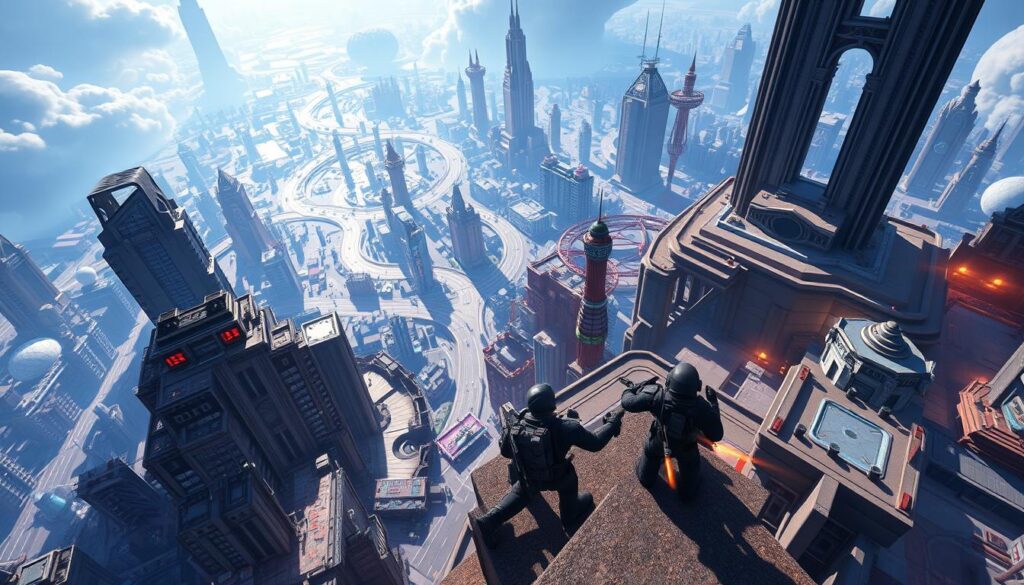
Knowing when enemies spawn, when items will be ready, and where you can see them helps you guess their next move. It’s important to understand the map. This includes knowing where the dangers and safe spots are, as well as where you can get a boost.
In shooting games, taking the high ground and staying covered is key. Make sure your team goes for objectives when the enemies aren’t ready. This can give you a big advantage.
Getting good at controlling areas and knowing when to make your move is crucial. The timing can really affect the outcome of the game. Practice coordinating with your team to make the most of every opportunity.
Team communication and role specialization
Knowing everyone’s job, like who’s supporting or who’s leading the charge, helps the team work better in Roblox games. Being clear about these roles from the start makes decisions faster and plays smoother.
Talking clearly and quickly with teammates is important, especially in heated moments. Whether you’re using pings or chatting on Discord, getting your point across without wasting time is crucial.
Be ready to change your strategy based on what your team needs and what the opponents are doing. Teams that can switch roles easily often do better than those that can’t.
Analyzing replays and learning from top players
Reviewing your games can show you where you went wrong and where you missed chances. When looking over your performance, pay attention to things like damage, how well you held objectives, and how you spent resources.
Learning from professionals can give you new ideas. Watch skilled players on platforms like YouTube or Twitch. Pick up on their strategies and try to incorporate them into your game.
Make a plan to improve based on what you see in replays. Focus on changing one thing at a time. This methodical approach helps you steadily get better, taking tips from the pros.
| Focus Area | Action | Outcome |
|---|---|---|
| Map control | Learn spawns, hold chokepoints, time power-ups | Greater objective control and fewer surprise flanks |
| Role play | Assign roles, practice specialization, swap when needed | Improved synergy and predictable team responses |
| Replay review | Record matches, analyze metrics, correct one mistake per session | Steady individual growth and smarter game choices |
| Pro study | Watch streams, copy movement and decision patterns | Faster skill acquisition and refined Roblox strategy |
Customizing Controls and UI for Better Play
Tweaking controls and UI can speed up reaction times and reduce clutter. When players adjust their setup, they instantly get better at aiming, moving, and making smart plays.
Key remapping and controller optimization
First, see if your game lets you change key assignments. Put frequently used actions on keys that are easy to press. If not possible in-game, try using tools like Windows PowerToys carefully. Always test your new setup in an easy match first.
For gamepads, go for trusted brands like Xbox or PlayStation controllers that work well with PCs and phones. Use the Xbox Accessories app to fine-tune joystick and button settings. Make sure important game functions are mapped to where your fingers naturally rest.
HUD and interface tweaks to reduce clutter
Turn off game interface elements you don’t need to keep your screen clean. Focus on keeping important things like health and ammo visible. Move less essential icons, like chat or the mini-map, so they don’t block your view.
Developers should also make game information easy to read. They can do this by choosing clear fonts, using contrasting colors, and making the UI adjustable. Adding options for colorblind players and letting everyone change the size of on-screen elements can also help.
Using third-party tools responsibly (when allowed)
There are some third-party tools you’re allowed to use, like Discord for talking, OBS Studio for streaming, and MSI Afterburner for checking your game’s performance. They can make playing more enjoyable without changing how the game works.
Remember not to use cheats or other banned programs that break Roblox’s rules. Always double-check the game’s and Roblox’s guidelines before using external tools. If you’re unsure, it’s better to stay away from any software that might give you an unfair advantage.
| Area | Player Action | Tool or Example |
|---|---|---|
| Key remapping | Reassign high-use actions; test in low-pressure matches | In-game keybind menu, Windows PowerToys |
| Controller setup | Calibrate deadzones; map buttons to natural positions | Xbox Accessories app, DualSense on PC |
| HUD tweaks | Hide nonessential elements; prioritize health and objectives | Game UI settings, scalable UI options |
| Accessibility | Enable colorblind palettes and larger text | Built-in accessibility settings |
| Third-party tools | Use communication and recording tools; avoid game-altering software | Discord, OBS Studio, MSI Afterburner |
Roblox Building and Game Design Tips
Starting is easier when you know your tools and goals. Dive into Roblox Studio. It’s helpful to learn how to move things around, find useful pieces in the Toolbox, make sure stuff stays put, and set up how things bump into each other. Don’t forget to check out templates and guides at developer.roblox.com. They’ll help you learn quickly and use Roblox Studio tips as you create.
Fundamentals of the interface and quick workflow
Start simple. Make a basic place and add a character. This way, you can see how things work together. Keep key tools open so you can tweak things without fuss. Use the Asset Manager to keep your sounds and pictures tidy for later.
Level design principles for player engagement
Design levels with clear goals. Use lighting and colors to lead players. Put checkpoints where players can take a break. This makes exploring fun and less stressful.
Mix exciting moments with calmer ones to keep things interesting. Test your game to find tricky parts. Then, look at player stats to see where they quit, and fix those spots. This will make your Roblox game better and keep players coming back.
Scripting basics with Lua and practical examples
Start with Lua scripting basics in Roblox. Know the difference between LocalScripts and ServerScripts. Use RemoteEvents for safe data swap between client and server. Focus on Players, Workspace, and Humanoid to control characters.
First, make simple scripts like a door that opens or a shop for in-game money. Use print statements and the Output window to find mistakes quickly.
Avoid heavy scripts and too many server events. Keep an eye on memory and CPU to ensure smooth gameplay as your Roblox game grows.
Monetization and Earning Robux Ethically
To make money from a Roblox game, it’s key to balance earning with keeping players happy. By choosing smart monetization strategies, creators can make Robux and support their games over time. This guide covers popular products, fair designs, and how to market without upsetting your players.
Developer products, game passes, and VIP servers have unique purposes. Developer products are bought once, like coins or boosts. Game passes offer lasting benefits, such as unique items or looks. VIP servers provide private areas for friends. It’s important to know where each fits in your game plan.
Setting up items is done in the Roblox Creator Dashboard, where you can also set prices. Start by testing prices with a few players before launching widely. Remember to keep Roblox’s sharing rules and expected earnings in mind.
Create deals that offer real value to your players. Focus on items that enhance the game without limiting it for those who don’t pay. Offer ways for all players to get items for free, so everyone has a chance to enjoy the game.
Always be clear about the costs of items in your game. Being upfront about prices helps maintain trust and keeps your game’s reputation strong. Watch how players react to new items to see if you need to make changes.
When selling items, make sure your approach feels right in the game. Use in-game messages, special deals, and previews to share the benefits. Adding testimonials or clips from players can boost sales without making players feel forced.
Stay away from making players feel they must buy to enjoy the game. Use data to see what works best in terms of pricing and how you show items. Promoting items well leads to steady earnings and keeps players loyal.
Here’s a quick guide to help you pick the best ways to make money in your game.
| Item Type | Typical Use | Player Impact | Best Practice |
|---|---|---|---|
| Developer Products | One-time purchases such as consumables and boosts | Short-term advantage or convenience | Price modestly, limit power gains, provide free alternatives |
| Game Passes | Permanent perks like cosmetics, extra slots, or special abilities | Long-term differentiation without breaking balance | Keep gameplay fair, focus on cosmetic or quality-of-life perks |
| VIP Servers | Private play sessions for groups or events | Community building and recurring revenue | Offer fair pricing and occasional free trials for engagement |
| Limited-Time Offers | Seasonal bundles and timed cosmetics | Drives short-term engagement and urgency | Keep messaging honest and avoid manipulative timers |
| Free Earning Paths | Daily rewards, achievements, and grind-based unlocks | Increases retention and fairness | Balance rewards so free players feel progress toward goals |
Community and Social Play Strategies
Creating a popular presence involves more than just playing well. Get involved in communities to grow your circle and skills, and find teammates who share your ambitions. Turn to forums like Reddit and Discord to pick out groups. Make sure they have solid rules and fit your age before joining.

Finding the right groups and communities
Use Roblox to find groups by genre or fan bases. Search for ones that are active and offer regular news and talks. Look into Discord servers and Roblox forums to watch how people talk and share.
Effective communication and building a positive reputation
Always be polite and useful in chats and forums. Share tips and constructive feedback to gain others’ trust. Use the same name and logo across different sites to be easily recognized.
Collaborations, events, and hosting in-game activities
Organize events with clear guidelines, prizes, and staff to ensure they run smoothly. Consider throwing tournaments, parties, or seasonal events to keep players interested. Collaborate with other creators for more exposure and to feature special guests.
- Promote your events through social media, announcements, and messages in the game.
- Look for volunteers to help manage big events and ensure a friendly environment.
- Gather feedback post-event to improve and nurture strong relationships.
Being active in the Roblox community helps find partners and loyal players. Consistant contributions and organized events will build your reputation. Hosting popular events boosts your visibility and trust, leading to more social opportunities and growth.
Customization: Avatars, Cosmetics, and Personal Expression
Customizing your avatar is a mix of style and functionality. Making small choices can change how your avatar performs and looks in games. It’s best to keep your avatar simple for lower-end systems by avoiding lots of particle effects and accessories.
Roblox avatar tips include testing outfits on different devices. Use layered clothes carefully and check how long they take to load on a phone versus a computer. For competitive play, go for simple styles that help you focus and spot your teammates easier.
It takes patience to find rare gear, along with being safe online. Look in the official Catalog and at Roblox events to find limited items that Roblox offers. Always check the value of items with trusted sources in the community before making a trade to stay clear of bad deals.
Make sure to trade safely by using the system provided by the platform and follow the steps to trade safely on Roblox: double-check the user’s history, look into the item’s value, and skip any third-party selling sites. Doing these checks keeps your account and investments safe.
Your cosmetic choices should show off your personality but not give you an unfair edge. Buy items for looks only and think about adding similar items if you make games. This approach keeps the game fair for everyone.
| Focus | Action | Benefit |
|---|---|---|
| Avatar performance | Limit particle effects and heavy accessories | Smoother gameplay on low-end devices |
| Cosmetic optimization Roblox | Use layered clothing selectively and test load times | Balanced visual flair with fast load |
| Limited items Roblox | Acquire through Catalog, events, or verified trading | Genuine ownership and preserved value |
| Trade safely Roblox | Use official trading, check histories, verify prices | Reduced fraud risk and secure exchanges |
| Roblox avatar tips | Prefer minimal competitive looks and test on devices | Clearer visuals and reliable performance |
Tips for Parents and Educators on Roblox Usage
Roblox is great for kids to explore, be creative, and play with others. Parents and teachers should guide them to play safely and learn. Here are steps to help kids have fun on Roblox while keeping safe.
Setting healthy screen time and play routines
Make a daily limit for playtime that works for your family. Use tools to make sure these limits are followed. Taking breaks during play helps avoid eye strain and keeps kids focused on school work.
Make rules for when and where devices can’t be used. For example, no devices during dinner or right before bed. Playing Roblox together can show them how to play responsibly. It also makes following the rules easier for them.
Educational uses of Roblox and learning through play
Roblox Studio lets kids learn coding, design, and art. Schools and clubs use it for lessons and projects that build skills like problem-solving. It makes learning fun and teamwork important.
Urge kids to work on projects that use stories, math, and business skills. Support them in showing their work. This makes learning with Roblox valuable and skill-building fun.
Monitoring interactions while respecting privacy
Check who your child talks to on Roblox and adjust privacy settings. Roblox has tools to help limit who kids can talk to. Teach them to report bad actions and to talk to you about anything that bothers them.
It’s important to watch over them but still trust them. Tell them why you’re looking out for them and talk openly about their online time. Guide them in being safe online and make them feel they can come to you for help.
Optimizing Discovery: Getting Your Game Noticed on Roblox
To stand out on Roblox, start with clear goals and take practical steps. Focus on making a great first impression on players, promoting your game consistently, and making changes based on data. This approach helps keep your game’s growth steady.
Crafting thumbnails and short descriptions is very important. Make thumbnails that show what your game is about, its mood, and what makes it special. Use text that is easy to read, visuals that stand out, and an image that represents your game well. This gets players to stop and take a look. Your description should be short and to the point. It should tell players what they can do in your game and why it’s fun.
Update your visuals and text for seasonal events and special updates. Having a catchy thumbnail and a clear game title helps a lot. These changes can make more people notice your game on Roblox.
Leveraging social channels can extend your reach. Post game trailers and clips on platforms like YouTube, TikTok, Instagram, and X. This attracts different people. Work with streamers and content creators for more visibility. Also, promote your game in other Roblox games and groups. This can bring more players during special events.
Building a community on Discord is a good idea too. Regular, friendly chats can keep players interested for a long time. This is a key part of any marketing plan on Roblox.
Analyzing metrics and iterating can help you decide what to focus on. Keep an eye on how long players stay, how often they come back, and if they encounter any problems. Use both Roblox’s tools and third-party ones to understand what’s happening. Also, ask players directly through surveys, Discord, and reviews for their opinions.
Focus on fixing any problems that stop players from enjoying the game first. Work on problems that can make more players stay and support your game. Share updates on what’s new and improved. Show players that their experience is getting better. This cycle of testing, learning, and improving is key to making your Roblox game more visible.
Conclusion
This Roblox guide gives you the steps to become great at it. Begin by making your computer and internet faster to avoid lag. Make your account safe with strong passwords and extra protection, like two-factor authentication. Then, get good at moving, looking around, and practicing a lot.
After that, try out higher-level tactics for competitive play. Adjust your controls and the game’s interface to what feels best for you. Dive into how to create games with Roblox Studio and programming in Lua. Make sure your games are fun and fair for everyone, and think about ways to make money without being unfair.
Keep practicing often, and check out developer tools at developer.roblox.com. Stay active in Roblox communities to get better. Use data to make your games better over time, start with simple projects, and always keep your players’ safety in mind.
Improving takes time and mixing the right techniques, practice, being part of the community, and making games responsibly. Look back at this guide when you need it, celebrate your progress with others, and always look for ways to improve your Roblox skills.
FAQ
What is this guide about and who is it for?
What hardware and internet setup do I need for smooth Roblox gameplay?
How do I secure my Roblox account and keep kids safe?
Which in-game settings help increase FPS and reduce lag?
What basic mechanics should every Roblox player master?
How can I improve in competitive Roblox games?
Can I remap controls or use controllers effectively?
What are safe, ethical ways to monetize a Roblox game?
How do I get started with Roblox Studio and basic scripting?
What design principles make levels more engaging?
How can I make my game more discoverable on Roblox?
Where should players find limited items and trade safely?
What tools are acceptable to use alongside Roblox?
How can parents and educators use Roblox as a learning tool?
What steps help me build a positive reputation and community on Roblox?
How do I balance avatar customization for performance and style?
Content created with the help of Artificial Intelligence.