Ads
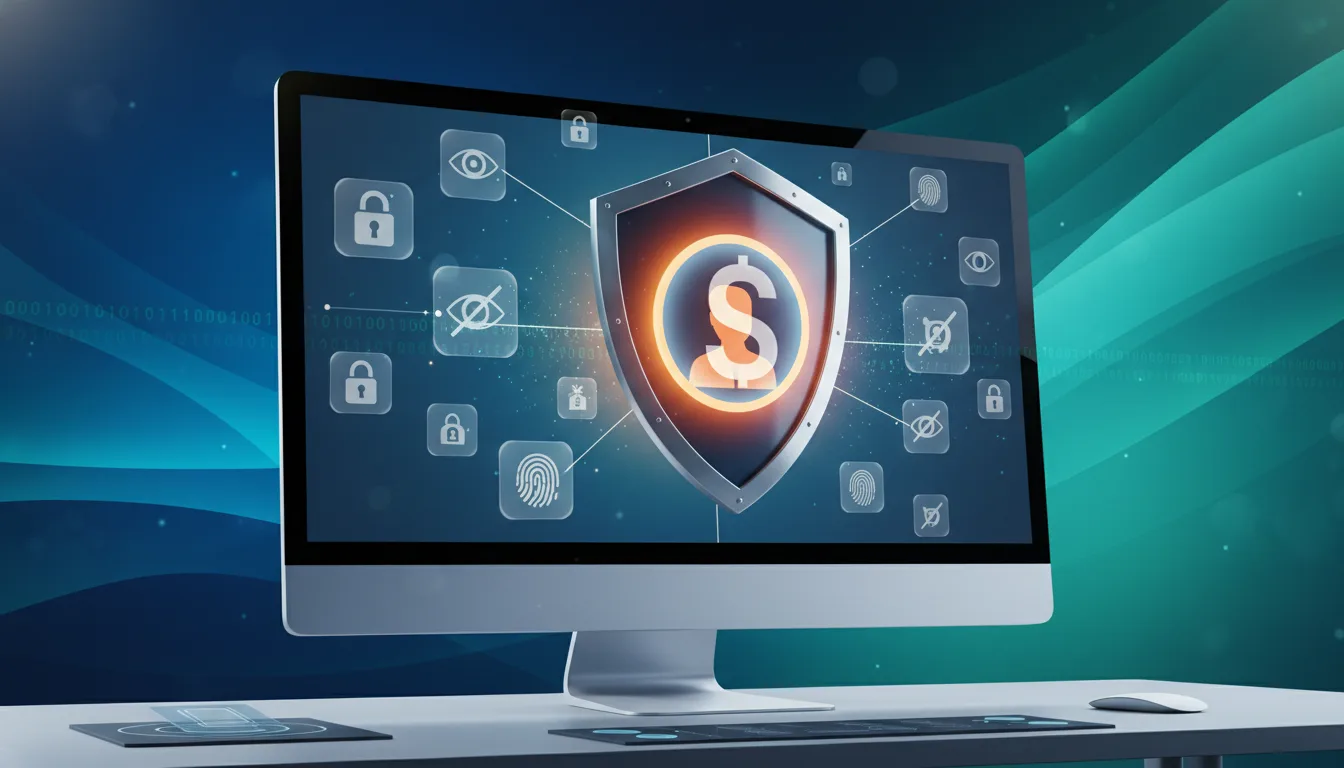
Private profile mode is a setting on many social networks and dating apps. It limits who can view your account and interact with you. This helps you keep using platforms like Facebook, Instagram, Tinder, and LinkedIn while protecting personal details.
The goal is to improve your privacy and safety without deleting your account.
Ads
This article explains private mode clearly and practically. You will learn how a hidden profile differs from blocking or deleting an account. It also shows how to enable private settings on major apps and which safety steps to use with private mode.
The guidance is neutral and helps adults make informed choices about online visibility.
Topics include step-by-step activation and best practices for keeping a profile hidden. It shares platform-specific tips for dating apps and security measures like two-factor authentication.
Legal and ethical points are also covered. The content balances usefulness and simplicity. This way, you can protect your information and stay connected where it matters.
Key Takeaways
- Private profile mode limits who can see your profile and interact with you.
- Private mode differs from deletion or blocking by preserving data while reducing visibility.
- Enabling a hidden profile is part of a broader digital privacy plan.
- Combine private mode with strong passwords and app permission checks for better safety.
- This guide covers activation, best practices, and troubleshooting across major platforms.
What Is Private Profile Mode and Why It Matters for Digital Privacy
Private profile mode is a setting that limits who can see your content and find your account. Many apps offer this option so users can approve followers, hide posts from public view, and block unsolicited message requests. It also can conceal your online status. Examples include Instagram’s private accounts, Twitter/X protected tweets, Facebook’s privacy controls, and dating apps’ invisible features.
Definition of private profile mode
At its core, private mode restricts discovery and access. A hidden profile means only approved contacts see your full posts, photos, and story updates. It also reduces search visibility and prevents message requests from strangers. Some platforms hide last-seen indicators and limit who can tag or mention you.
How private mode differs from account deletion and blocking
Account deletion removes your account and most content permanently or after a delay. Private mode keeps your account active and preserves posts and followers while limiting viewers. Blocking targets specific users and stops certain interactions.
Private profile mode applies a rule you can toggle on or off without losing history or followers. Deleted accounts may lose content and connections beyond recovery. A hidden profile keeps data accessible to approved people and lets you restore public visibility quickly. Blocking leaves your content unaffected for others while stopping contact from blocked users.
Key benefits for online privacy and app safety
Using private profile mode reduces unsolicited messages and spam. It lowers the chance of profile scraping by bots and limits exposure that can lead to doxxing or stalking. A hidden profile makes it safer to explore apps and interact without broad public visibility.
App safety improves when users combine private mode with strong passwords and limited app permissions.
- Fewer unwanted contacts and targeted messages.
- Reduced likelihood of automated scraping and bulk data collection.
- Safer testing of new platforms or features before wider sharing.
- More control over who sees personal information and updates.
Be aware of limitations. Private mode does not erase all metadata. Elements like profile photos, mutual connections, and cached copies may remain visible depending on platform policies. Digital privacy improves with private mode, but it works best as part of a broader strategy that includes reviewing permissions and staying alert to app safety signals.
How to Enable Private Profile Mode on Social Apps
Enabling private profile mode helps you control who sees your content. It also improves app safety for everyday use.
The steps below cover common platforms and follow-up settings to check after activation. UIs change often. Confirm any differences on the app’s help pages.
Step-by-step activation on major platforms
Instagram: open Settings > Privacy and toggle Private Account. This limits posts and stories to approved followers.
Facebook: use Privacy Shortcuts or Settings > Privacy and set profile visibility to Friends or Custom. Review Audience selectors on past posts.
Twitter/X: go to Settings > Privacy & Safety and enable Protect your Tweets to restrict visibility to followers.
LinkedIn: adjust profile viewing options and Public Profile settings in Settings > Visibility. This reduces what non-connections can see.
Tinder, Bumble, OkCupid and other dating apps: enable Incognito or Private modes when offered. Or set profile visibility to Matches only.
Look for options labeled Privacy, Visibility, or Incognito. Note that private mode names vary by app and version.
If you do not find a setting, check the platform’s support documentation.
Settings to review after enabling private mode
Verify profile photo visibility and whether your bio or job fields remain public. Remove or edit items that reveal personal details.
Check contact fields, linked accounts, and social links that could bridge identities. Revoke any unwanted connections.
Confirm story and archive visibility. Review search engine indexing or Public Profile settings so external search results do not show your page.
Set who can send messages, follow, or request access. Review follower or friend lists and remove unknown or suspicious accounts.
Troubleshooting common activation issues
- Setting not visible: update the app to the latest version or reinstall to access newer privacy controls.
- Cached public content: clear app cache, remove public posts manually, and allow time for search engines to reindex.
- Third-party sharing: revoke app permissions in account settings and in connected services to stop external reshares.
- Inconsistent behavior across devices: sign out, restart the device, then sign back in to force synchronization.
If problems persist, consult the platform’s support pages or help center for device-specific steps. Maintaining these checks strengthens digital privacy when using a hidden profile on social apps.
private profile mode: Best Practices for Hidden Profile Use
Using a hidden profile or private mode helps protect your information. It lets you control who can see it.
The next points explain when private mode works best. They also cover how to layer settings and stay reachable without sharing everything.
Short steps and clear choices help you use this feature for social networks and online dating.
When to choose hidden profile versus public visibility
- Use a hidden profile during job searches to vet contacts before sharing details.
- Turn on private mode if you face harassment or want a break from unwanted attention.
- Enable private settings while testing a new app or changing your profile content.
- Keep public visibility when building a brand, promoting a business, or needing to be found easily.
Combining private mode with other privacy settings
- Set strong passwords and enable two-factor authentication to strengthen private profile mode.
- Limit profile fields and remove sensitive photos or personal identifiers from your account.
- Turn off location-sharing and contact syncing to reduce data leaks across apps.
- Check connected third-party apps often and revoke access for services you no longer use.
Maintaining discoverability while staying private
- Create a separate professional account for outreach while keeping your main profile hidden.
- Keep a minimal public profile that lists contact methods or a business page for verified reach.
- Accept follow or friend requests carefully to control who can see your content.
- Use invite-only features or share direct links to specific posts to limit broad exposure.
- Customize who views individual posts or stories instead of making your entire account public.
How Private Profile Mode Works on Online Dating Platforms
Private profile mode lets users decide who sees their account and when they show up in search results. Dating apps combine free and paid privacy features to limit visibility, filter contacts, and pause presence. This mix enhances safety and protects your privacy while you look for matches.
Privacy options specific to dating apps
- Incognito or Private Browsing: only people you like can view your profile. Tinder and Bumble offer versions of this feature in paid plans.
- Choose who sees you: set age ranges and distance filters so your profile is hidden outside selected parameters. Hinge and OkCupid include robust filtering tools.
- Visibility boosts and controls: turn off boosts or remove profile from public feeds to reduce exposure.
- Hide from specific groups: some apps let you exclude contacts or people on certain networks for extra protection.
Protecting personal information in profiles and messages
Avoid listing your address, workplace details, or last name in your bio. Use a non-identifying photo if you prefer. Do not link social accounts publicly. Turning off contact syncing stops the app from importing your phonebook.
Keep phone numbers and meeting details private until trust is built. Use in-app messaging first. Report suspicious messages and save those that feel threatening.
Managing matches and communication while hidden
Private modes often send new contacts into message requests you can accept or decline. This lets you vet people before opening full conversations. Set clear boundaries in replies and state limits when needed.
Use account pause or invisible modes if you need a break without deleting your account. Remove, block, or report matches who break boundaries to stay safe and keep your privacy.
Security Considerations and App Safety Tips
Private profile mode lowers your visibility. However, it does not erase all signs of your activity. Knowing its limits helps you choose smarter when using social or dating apps.
Recognizing features that still expose data
Private mode hides posts and profiles from the public. Yet, some apps show names or thumbnails to non-followers. Activity logs, images, and metadata may still be accessible to platforms or users who saved content earlier.
Mutual connections and app analytics show usage patterns. Screenshots and messages sent before enabling private mode stay visible. Consider private features as one protection layer, not full security.
Secure passwords, two-factor authentication, and permissions
Use a unique, strong password for each account. Store and create passwords with a trusted manager. Change passwords regularly, especially older ones.
Turn on two-factor authentication for better security. Apps like Google Authenticator reduce risks more than SMS. This protects access even when your profile is private.
How to review app permissions and third-party access
Check device permissions for camera, microphone, contacts, and location. Remove access that the app does not need. On iOS and Android, privacy reports show apps using sensitive sensors.
Use app settings to review linked services and third-party logins. Unlink and revoke access for unused services. Regular permission checks keep your privacy strong and profile settings effective.
Legal and Ethical Aspects of Using Hidden Profiles
Using a private or hidden profile helps protect your personal information and boosts app safety. Users must remember that hiding a profile does not remove their duties under platform rules. Reading rules on anonymity, impersonation, and conduct helps protect your digital privacy and keeps you within policy.
Terms of service and platform policies to be aware of
Always review the platform’s terms of service and privacy center before relying on private mode. Platforms like Facebook, Instagram, and LinkedIn explain what behavior they allow when accounts stay hidden. Breaking rules by impersonating others, running scams, or harassing people can lead to account suspension.
Also, check how reporting and appeals are handled by the platform. Many platforms keep activity logs that help with investigations. A hidden profile is not full anonymity from the provider.
Ethical considerations when interacting anonymously
Use private modes to protect your safety and manage your personal and professional boundaries. This is a good reason to use a hidden profile.
Do not use anonymity to deceive, cheat, or avoid responsibility. Honest, respectful behavior builds trust and supports a healthier online community. For example, use it to prevent harassment, separate work and personal life, or protect yourself from unwanted attention.
When to report harassment or misuse while in private mode
Collect evidence whenever possible. Take screenshots, note timestamps, and save message threads. This helps make reports clearer and helps platforms act faster.
- Use in-app reporting tools first. Most apps offer options for reporting harassment, threats, or impersonation.
- Escalate to platform support if the in-app tool does not solve the problem.
- Contact local authorities if you face direct threats, stalking, or danger to your physical safety.
Private mode may change how others see your account but does not stop you from reporting abuse. Platforms usually keep needed records for investigations. This helps enforce rules and improves app safety and digital privacy for all users.
Troubleshooting and Frequently Encountered Problems
Switching to private profile mode can seem simple, but users often face unexpected results. This guide covers common issues with hidden profiles and syncing problems. It also explains how to contact support and keep evidence of privacy breaches safe. These tips help protect your digital privacy and keep app safety clear and simple.
Why profiles still appear in searches
Search engines and third-party sites may store copies of public pages. Content you posted before enabling private mode can stay visible until caches update. Cached results, public posts, or external sites can make hidden profiles show in search results.
- Remove or edit public posts that share personal data.
- Clear browser and app caches, then wait a few days for updates.
- Use platform tools to request removal or search engine de-indexing.
- Submit takedown requests for third-party copies when possible.
Sync issues across devices and platforms
Private mode may be active on one device but not on another. Outdated apps, cached settings, or linked accounts can cause this. Hidden profiles linked to Facebook, Google, or others may inherit public settings.
- Update apps on all devices and reinstall if settings don’t apply.
- Sign out and back in, then check privacy settings on each device.
- Check for linked accounts and disconnect those that override private mode.
- Review app permissions and revoke access for services sharing profile data.
Contacting support and preserving evidence of breaches
If privacy settings fail or you suspect a breach, document the issue first. Screenshots, timestamps, URLs, and message IDs help platforms investigate. Keep local backups and export account data to preserve a record.
- Use in-app reporting tools and follow instructions for privacy incidents.
- Email customer support with clear details and attached evidence.
- Contact law enforcement for threats or doxxing; keep copies of communications.
- Consult consumer protection resources for serious digital privacy violations.
Conclusion
Private profile mode is a useful way to limit unwanted visibility and control your personal information. It restricts who can see your posts and profile details. This lets you keep your account active while staying more private.
For many users, a hidden profile cuts casual exposure without deleting the account permanently.
To make private profile mode effective, use it with strong passwords and two-factor authentication. Regularly review permissions and check profile details. Disable unnecessary location or contact sharing.
Use in-app messaging before sharing sensitive information. These habits improve app safety and protect your digital privacy.
Remember, private profile mode helps but does not solve every risk. Stay updated with app changes and consult help centers when unsure. Take careful steps and don’t rely on one setting alone.
This balanced approach keeps your accounts safer and gives you better control over your online presence.
Content created with the help of Artificial Intelligence.